



Search another article?
Cynet – SGBox SIEM Integration Guide
Configure Cynet to send syslog notifications to a remote Syslog.
- On your Cynet web interface, go to Setting > Advanced.
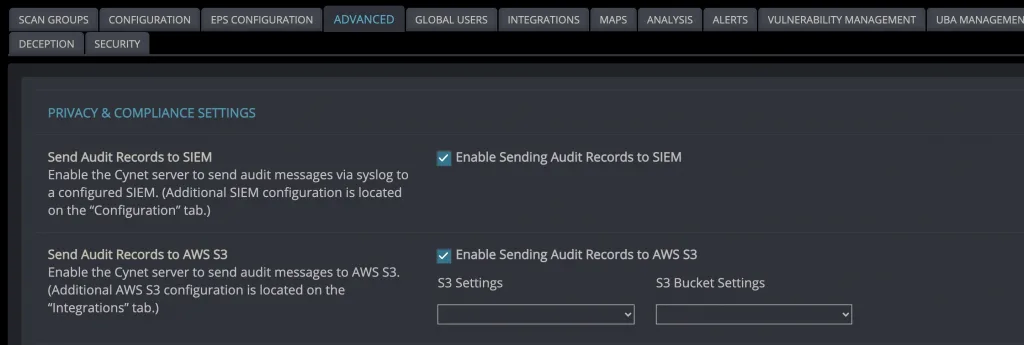
- Select the box beside Send Audit Records to SIEM.
- Go to Configuration > SIEM settings and enable the following configuration:
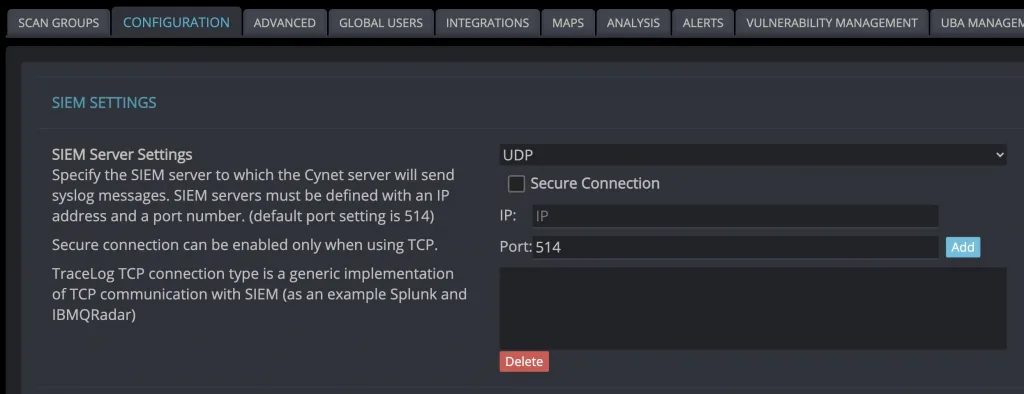
– TCP
– IP – public IP address of your syslog server
– Port – port that is configured on your syslog server. We use 6514 tcp. - Press Add. The added IP and port will appear on the screen.
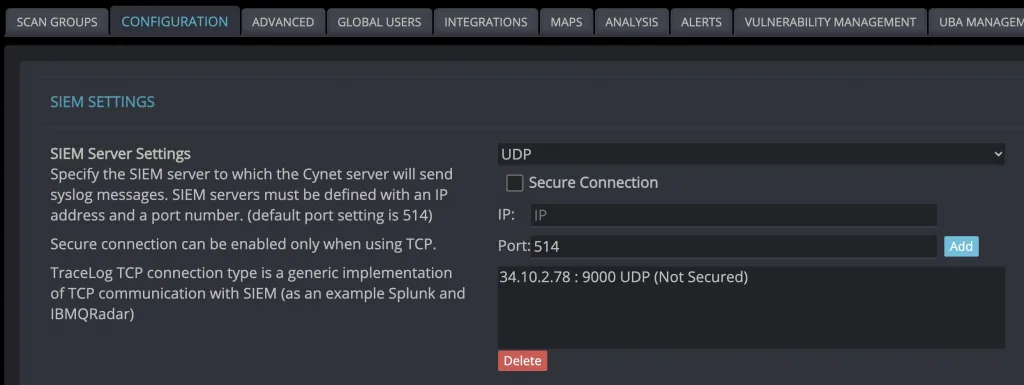
NOTE: These instructions are based on official guide provided by the vendor. but for let work the integration with SGBox ensure that the configuration matches what is specified below
– Communication protocols is TCP
– Port is 6514
– Public IP address of your syslog server is correct one.
For further SGBox support requests, please open a ticket on the ticket portal.