


Search another article?
Created On
Print
You are here:
< Back
Introduction
to be able to receive logs from Sophos appliance, the syslog must be configured.
Example configuration
NOTE: this is only an example configuration, the options may change due to different version or changed options.
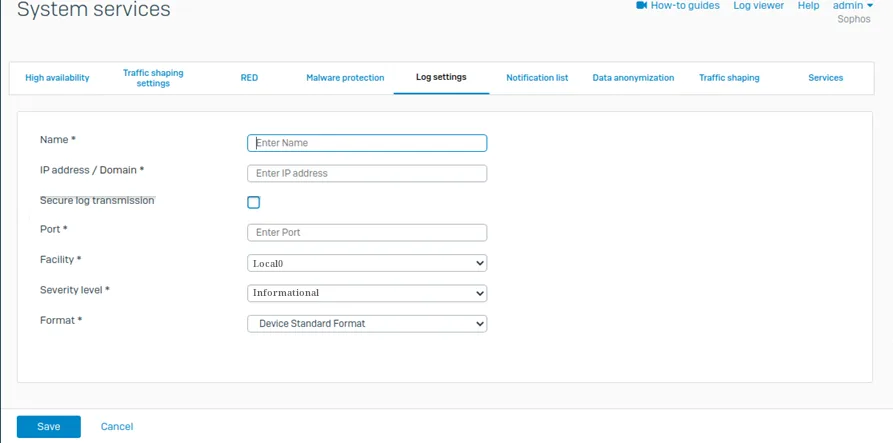
Connect to your Sophos firewall system. Choose System services > Log settings and click Add.
- Enter a name
- Specify settings
- Click on Save
- Go to Log settings and select the logs you want to send to the syslog server.
From SGBox WebUI downlaod Sophos Firewall Package: SCM > Application > Pacakges