



Search another article?
In this guide, we show you how to perform network debugging: to quickly check that a port on a server is reachable from SGBox.
You can perform network debugging using the SGBox CLI tool.
Connect via SSH (using a programme such as Putty or a virtualisation console) to SGBox, specifying the user CLI and the password you saved for it.
Go under Network Configuration > Connect to port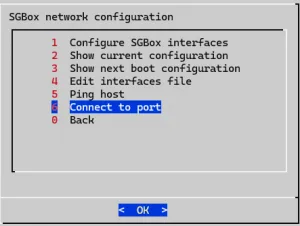
For example, let’s check if SGBox reaches Active Directory server on port 389 (LDAP) or 636 (LDAPS).
You can specify IPv4 or Hostname and port.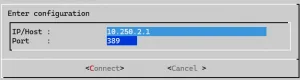
The result may be Server is Responding or Cannot connect to the server.
If the result is Cannot connect to the server, we recommend checking that the firewall managing the network is not blocking communication or checking that the Host port is actually open.
For more details on which ports are used by SGBox, please read the Network Requirements guide.