
Search another article?
How to configurate Crowdstrike
This guide provides instructions to configure Crodstrike console to send log to SGBox. In order to do that an additional software provided by Crowdstrike must installedi in your environment, alternatively you can use Crowdstrike application provided by SGBox.
Following are the steps to configure Crowdstrike API client:
Click on Configuration > Miscellaneous.
Put the flag on Enable Syslog and write the IP of your SGBox.
Enter SGBox port (514) and select protocol UDP.
- Log in to Crowdstrike console.
- configure your client from https://<falcon-console>/api-clients-and-keys/clients
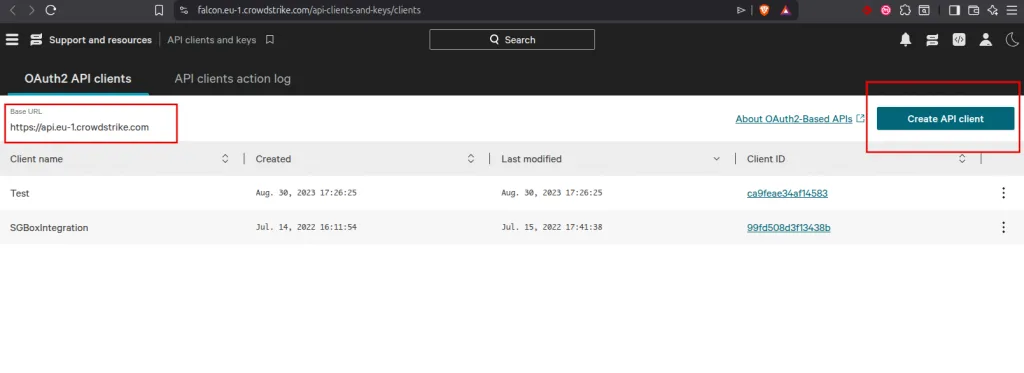
Click on “Create API client” to create a new Client_ID and Client_Secret. Remember also the “Base URL” as gateway for you API.
Follow this link to configure crowdstrike SIEM connector: https://<falcon-console>/documentation/page/eb1587d1/siem-connector
Login to SGBox and Install the Crowdstrike Application from SCM > Application > Vendors Integration: