Search another article?
Created On
Print
You are here:
< Back
Configure Sentinel to send logs to SGBox
Open the SentinelOne Admin Console. Configure SentinelOne to send logs to your Syslog server.
Select your site.
- In the left side menu, click the slider icon [⊶] to open the Settings menu.
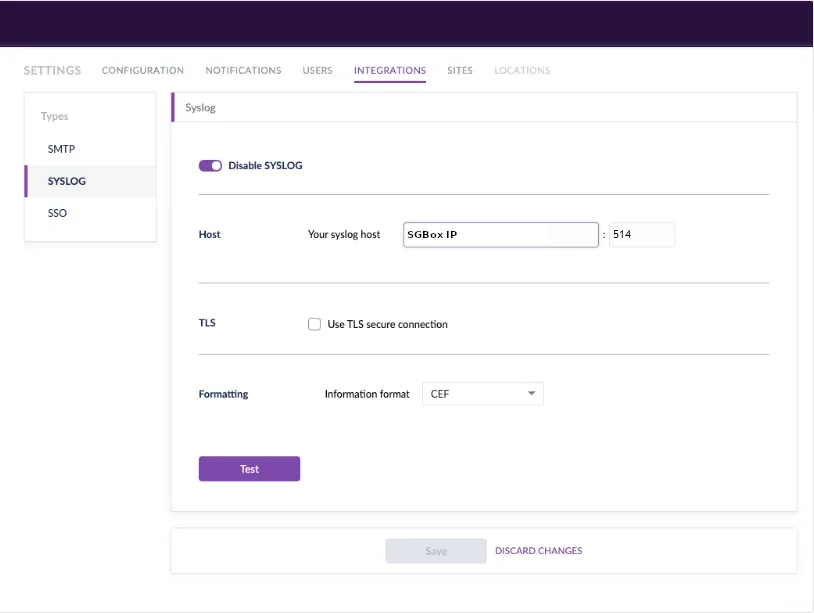
- Open the INTEGRATIONS tab, and fill in the details:
- From Types, select SYSLOG
- Enable the SYSLOG
- Enter your public SYSLOG server IP address and port.
- Enable TLS to secure the connection
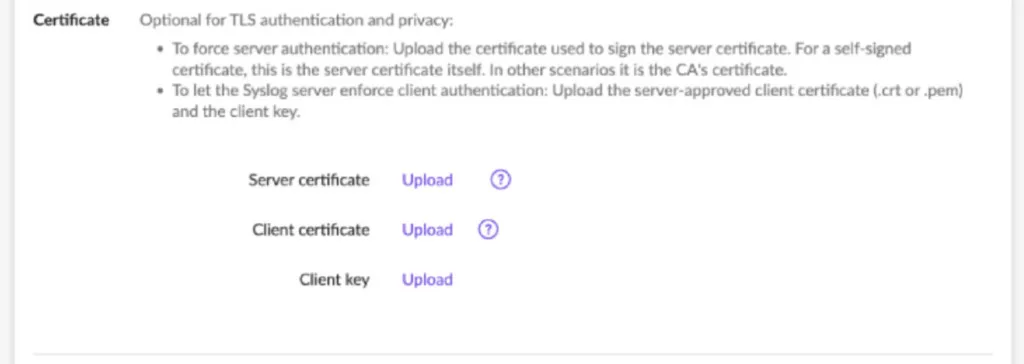
- Upload the certificates
- Select CEF as format:
Save your changes.